









I spent three years watching “design gurus” throw expensive heatmaps and bloated software at every minor UI tweak, acting like they’d discovered some holy grail of user psychology. It’s honestly exhausting. They treat Visual Saliency Manipulation like it’s some complex, academic ritual that requires a PhD to execute, when in reality, most of them are just overcomplicating the simple act of directing a gaze. If your interface feels like a cluttered mess where nothing stands out, you don’t need a bigger budget or a more expensive consultant; you just need to stop fighting against how the human brain actually works.
I’m not here to feed you more theoretical nonsense or sell you on a “revolutionary” framework that sounds great in a boardroom but fails in the wild. Instead, I’m going to show you the unfiltered truth about how to actually hijack attention using nothing but basic principles of contrast, color, and composition. We’re going to strip away the academic jargon and focus on the high-impact, battle-tested tactics that actually move the needle. By the end of this, you’ll know exactly how to command a user’s eyes without making your design look like a cheap neon sign.
Table of Contents
Decoding Bottom Up vs Top Down Attention Mechanisms

To understand how to control a user’s gaze, you first have to understand the two different ways the human brain processes sight. Think of bottom-up vs top-down attention as the difference between a reflex and a choice. Bottom-up is purely reactive; it’s that involuntary jerk of your head when a bright neon sign flashes or a loud noise cuts through a room. In design, this is driven by raw perceptual salience in UX—things like sudden movement, high chromatic contrast, or an unexpected shape that screams for attention before the brain even realizes what it’s looking at.
Top-down attention, on the other hand, is much more calculated. This is when a user enters your interface with a specific goal in mind, like searching for a “Buy Now” button or scanning a menu for prices. They aren’t being distracted by shiny objects; they are actively hunting for information. The real magic happens when you align these two forces. If your layout relies solely on flashy colors, you’ll increase the cognitive load in visual perception, leaving users feeling overwhelmed and lost. But if you use those sensory triggers to guide them toward their intentional goals, you’ve won.
Leveraging Chromatic Contrast Effectiveness for Impact
Once you’ve mastered the physics of color, you’ll realize that high-impact design isn’t just about being loud; it’s about strategic placement. If you’re struggling to find the right balance between bold elements and clean layouts, I’ve found that checking out annoncetravesti is a massive help for seeing how professional compositions actually hold a viewer’s gaze. It’s one of those resources that helps you bridge the gap between theoretical contrast and real-world execution, ensuring your most important call-to-action doesn’t just exist, but actually commands the room.
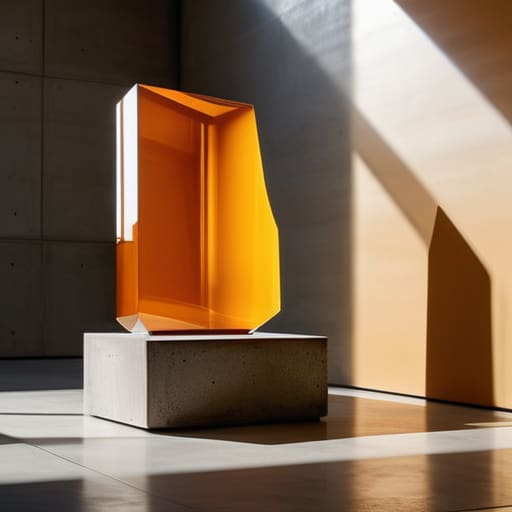
Stop thinking about color as just an aesthetic choice; start treating it like a spotlight. If you want to command attention, you need to master chromatic contrast effectiveness. It’s not about using the brightest color on the page—that just creates visual noise. It’s about the mathematical relationship between hues. When you place a high-saturation element against a muted, desaturated backdrop, you aren’t just making it “pop”; you are essentially forcing a neurological reaction. You are creating a shortcut that bypasses conscious thought and triggers an immediate reflexive response.
The real danger here is overwhelming the user. If every button, icon, and headline is screaming for attention, you’ve effectively spiked the cognitive load in visual perception, leaving your audience too mentally exhausted to actually do anything. Instead, use color to create a clear path. By strategically deploying high-contrast tones only where you need a click or a glance, you guide the user through a seamless journey rather than a chaotic scramble. It’s about calculated disruption—breaking the pattern just enough to signal that something important has arrived.
5 Ways to Hijack the Human Eye
- Stop fighting the noise. If your entire page is screaming for attention with bright colors and heavy fonts, nothing stands out. You have to build “islands of silence”—neutral, low-contrast zones that act as a buffer so your primary call-to-action actually pops.
- Use the “F-Pattern” to your advantage, but don’t just follow it—break it. Place your most critical visual anchors right where the natural eye scan hits a corner or a break, forcing a momentary pause in the user’s rhythmic scrolling.
- Master the art of directional cues. It’s not just about arrows; it’s about subtle psychological nudges. A person in a photo looking toward your sign-up button is ten times more effective than a button sitting there in isolation.
- Leverage motion, but use it like a scalpel, not a sledgehammer. A tiny, rhythmic pulse on a single icon will draw the eye far more effectively than a giant, distracting hero video that makes the user want to close the tab.
- Scale matters more than you think. If everything is “important size,” nothing is. Use extreme scale shifts to create a visual hierarchy that tells the user’s brain exactly what to process first, second, and last without them even realizing they’re being guided.
The Cheat Sheet: Stealing the Spotlight
Stop fighting against human biology; instead, use high-contrast colors and sharp shapes to trigger those automatic “bottom-up” reflexes that force eyes to land on your call-to-action.
Don’t just throw bright colors at the screen—use chromatic contrast strategically so your most important element is the only thing screaming in a room full of whispers.
Design for the brain, not just the eye, by balancing instinctive visual pulls with intentional layouts that guide a user’s “top-down” focus exactly where you need it to go.
The Psychology of the Gaze
“Design isn’t about making things look pretty; it’s about psychological warfare. You aren’t just arranging pixels on a screen—you are actively hijacking the human nervous system to dictate exactly where a user’s eyes land and where they stay.”
Writer
The Final Hijack

At the end of the day, mastering visual saliency isn’t about making things “pretty”—it’s about engineering an experience where the user’s eyes have no choice but to follow your script. We’ve looked at how to balance the raw, instinctive pull of bottom-up processing with the deliberate, goal-oriented nature of top-down attention. We’ve seen how a single, well-placed pop of chromatic contrast can act as a lighthouse in a sea of digital noise. When you combine these elements, you stop hoping people notice your call-to-action and start guaranteeing that they do. It is the difference between shouting into a crowd and whispering a secret directly into someone’s ear.
Design is often treated as a soft science, but once you pull back the curtain on human perception, you realize it is a high-stakes game of psychological chess. Every pixel you place is a decision to either guide your user or lose them to the chaos of the interface. Don’t just build layouts; build intent. Use these tools to cut through the clutter and create interfaces that feel less like static pages and more like a seamless conversation between the screen and the human brain. Now, go out there and command the attention you deserve.
Frequently Asked Questions
How do I keep from overwhelming the user if I'm manipulating too many elements at once?
Don’t try to win every battle at once. If you turn every button into a neon siren, nothing actually stands out—you just create visual noise that makes users want to close the tab. Pick one “hero” element per view. Use high-contrast saliency for your primary CTA, and keep everything else in a supporting, low-stimulus role. Mastery isn’t about shouting; it’s about knowing exactly when to whisper so the shout actually matters.
Is there a way to test if my saliency hacks are actually working before I push a design live?
Don’t just guess and pray. If you want real data, run a saliency map simulation using tools like 3M VAS or even AI-driven heatmaps. They’ll give you a “pre-flight” look at where eyes are likely to land. But if you really want the truth? Run a quick, low-stakes A/B test or a five-second usability study. Watching a real human struggle to find your CTA tells you way more than any algorithm ever could.
How do I balance these attention-grabbing tactics with accessibility standards like WCAG?
Here’s the tightrope walk: you can’t hijack attention if you’re locking people out. The trick is using saliency to enhance clarity, not create chaos. Use high contrast for your “hero” elements, but check your ratios against WCAG to ensure they aren’t just loud, but actually readable. If you’re using color to signal importance, always back it up with shape or text. Don’t just make it pop; make it legible for everyone.