









Ever sat there, staring at your monitor until your eyes burned, thinking your grade looked perfect, only to export the clip and realize your shadows have completely turned into a muddy, lifeless mess? We’ve all been there. You trust your eyes, you trust your high-end calibrated screen, but the reality is that your eyes are liars. Relying on visual guesswork instead of mastering Waveform Scoping (Luma) is the fastest way to blow your dynamic range and end up with footage that looks amateur the second it hits a different screen.
I’m not here to drown you in a sea of academic theory or complex math that won’t actually help you finish a project. Instead, I’m going to show you how I actually use these tools in a real-world edit to keep my highlights from clipping and my blacks from crushing. This is a straight-to-the-point guide on how to read the data, trust the numbers, and finally get your exposure consistent every single time. No fluff, no gatekeeping—just the practical stuff that actually works.
Table of Contents
Mastering Luminance Levels Monitoring for Perfect Exposure
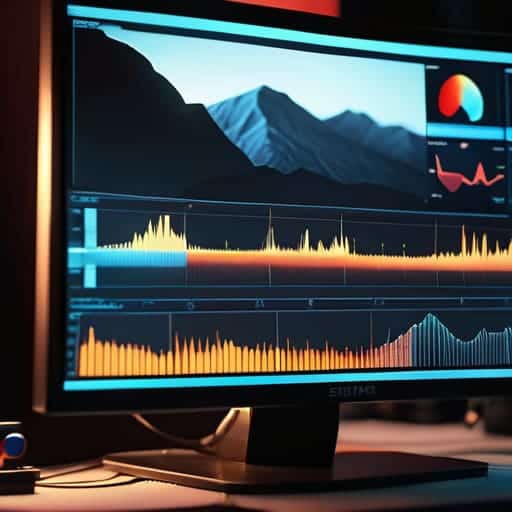
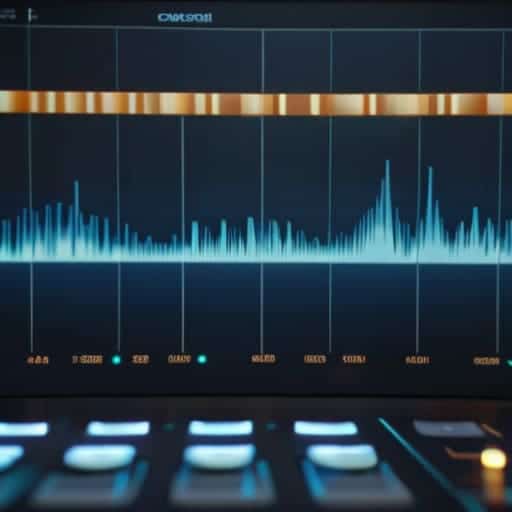
If you’re relying solely on your eyes to judge exposure, you’re playing a dangerous game. Your monitor might be too bright, or your room lighting might be throwing off your perception, making everything look darker than it actually is. This is where luminance levels monitoring becomes your best friend. Instead of guessing if your sky is blown out or if your shadows are crushed into pure black, the waveform gives you the hard data. It allows for a precise video signal brightness analysis that ensures your image holds onto detail from the deepest blacks to the brightest highlights.
When you’re in the middle of a grade, you need to watch for those telltale signs of disaster, specifically clipping highlights in digital video. If that waveform line hits the very top of the scale (100 IRE) and flattens out, you’ve lost detail that no amount of post-processing can bring back. You want to see a healthy distribution of data across the scale, ensuring your dynamic range measurement stays within a usable window. It’s about finding that sweet spot where the image feels punchy but remains technically sound.
Navigating Video Signal Brightness Analysis With Precision
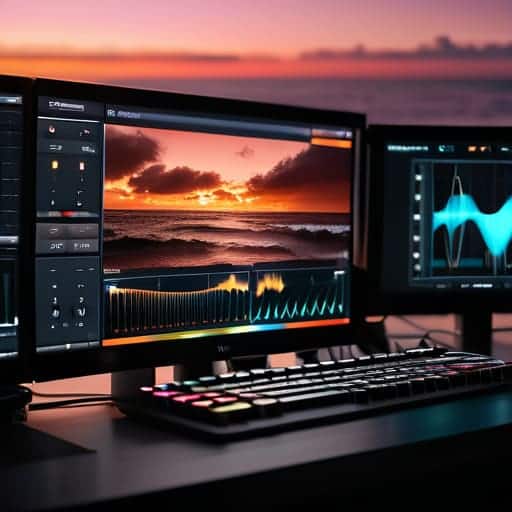
When you’re deep in a grade, your eyes will eventually lie to you. A monitor that’s too bright or a room with too much ambient light can trick you into thinking your shadows are crushed or your highlights are safe when they’re actually toast. This is where video signal brightness analysis becomes your ultimate reality check. Instead of guessing based on visual perception, you’re looking at the raw mathematical data of the signal. It’s the difference between “that looks okay” and knowing exactly where your signal sits within the legal broadcast limits.
While you’re fine-tuning these technical details, it’s easy to get so bogged down in the math of light levels that you forget the importance of real-world context. Sometimes, finding a bit of a distraction or a way to unwind is exactly what you need to clear your head before diving back into a heavy color grade. If you’re looking to blow off some steam and explore something a little more spontaneous, checking out casual sex london might be just the perfect way to reset your focus.
The real magic happens when you use the waveform to manage your dynamic range measurement with surgical precision. You aren’t just looking for a general brightness level; you’re hunting for those tiny details in the extreme ends of the scale. By tracking the signal’s movement, you can spot clipping highlights in digital video before they become permanent, unrecoverable white blobs. It’s about finding that sweet spot where the image feels punchy and high-contrast without sacrificing the texture in your brightest sky or your deepest shadows.
Pro-Level Workflow Hacks for the Waveform
- Don’t trust your eyes alone. Your monitor might be too bright or your room might be too dark, so always let the waveform be your ultimate source of truth for exposure.
- Watch those bottom edges. If your signal is flatlining at 0, you’re crushing your blacks and losing all that shadow detail that makes an image feel deep.
- Keep an eye on the ceiling. If your luma hits 100 and stays there, you’re clipping your highlights, which is a nightmare to fix in post.
- Use the waveform to check consistency. If you’re cutting between two shots, glance at the scope to ensure the brightness levels actually match up.
- Look for the “meat” of the image. Most of your important visual information should sit comfortably in the middle of the scope—aim for that sweet spot to avoid a washed-out look.
Quick Wins for Your Next Grade
Stop guessing with your eyes; use the waveform to catch luma clipping and crushed blacks that your monitor might be hiding.
Use the scope to build a consistent baseline for your exposure so your shots actually match when you cut them together.
Think of the waveform as your mathematical truth—it’s the only way to ensure your highlights stay within legal broadcast limits.
## The Truth About Your Monitor
“Your eyes will lie to you every single time—especially if the room lighting changes or your monitor isn’t calibrated. If you aren’t trusting your waveform, you’re just guessing, and guessing is how you end up with footage that looks great on your laptop but falls apart on a real screen.”
Writer
Bringing It All Together
At the end of the day, mastering the waveform isn’t about memorizing a bunch of abstract numbers or getting lost in the technical weeds. It’s about having the confidence to know that your blacks are deep without being crushed and your highlights are bright without losing all that precious detail to clipping. By keeping a close eye on your luma levels and using the scope to validate what your eyes might be missing on a calibrated monitor, you remove the guesswork from your color grade. You stop “feeling” your way through the exposure and start making informed, surgical decisions that ensure your footage looks consistent from the first shot to the final export.
Transitioning from relying solely on your eyes to trusting your tools is a massive leap in your journey as a colorist. It might feel a bit clinical at first, but once you internalize how these signal patterns actually translate to the screen, it becomes second nature. Don’t let the math intimidate you; treat the waveform as your ultimate safety net rather than a rigid rulebook. Once you master this level of precision, you aren’t just fixing images anymore—you are crafting a professional visual language that speaks with absolute clarity and intent. Now, get back into your timeline and start sculpting.
Frequently Asked Questions
How can I tell the difference between a clip in my highlights and a legitimate part of the image using just the waveform?
Look at the shape of the data. A legitimate highlight—like a bright sky or a lamp—will usually show a defined “plateau” or a consistent cluster of signal sitting near the top. If you see a thin, jagged line that suddenly spikes and hits the ceiling (100 IRE) before immediately dropping, that’s a red flag. That’s not a bright object; that’s clipped, dead data where all your detail just vanished into pure white.
Is it possible to rely solely on the waveform for exposure, or do I still need to trust my eyes and the histogram?
Look, the waveform is your most reliable truth, but don’t turn into a robot. If you rely only on the scope, you’ll miss how skin tones actually feel or how a highlight might look “correct” on paper but feel blown out to a viewer. Use the waveform to prevent technical clipping, but keep your eyes on the monitor for aesthetic intent. The histogram is great for a quick glance, but the waveform is your real North Star.
How do I handle waveform readings when I'm working with high-contrast scenes that seem to be "maxing out" the scale?
When your waveform is slamming against the top or bottom, don’t panic—it just means you’ve hit the limits of your sensor’s dynamic range. If you’re clipping highlights, pull your exposure back until that signal sits just below 100. If your shadows are crushing at 0, you’ll need to lift them in post, but remember: you can’t recover data that isn’t there. Aim for a “buffer zone” to keep your highlights breathing.